mockbaypresentation

HTTP mock server

Mock any API,
including encrypted ones.

mockbay serves user-defined mock HTTP endpoints. Define a method, a path, and a canned response — it goes live instantly under your namespace. Record real APIs straight from a curl command, and mirror gateways that speak an encrypted eData envelope.

Per-user namespaces Record from curl AES-256 eData Live traffic analytics

The problem

The frontend shouldn't wait for the backend

A new feature kicks off and both teams start at once. But the frontend can't call an API that doesn't exist yet — so it sits blocked until the backend ships, and integration gets crammed into the end. Agree on the contract, mock it in minutes, and both teams build in parallel from day one.

Without a mock server
BE
Building the API done · idle
FE
Blocked · waiting on API Building

The frontend starts late and integrates in a rush.

With mockbay
BE
Building the API
FE
Building against the mock

Both build against the agreed contract, in parallel, and ship together.

What it is

A control surface for fake endpoints

Every mock you create is exposed publicly under its owner's salt path prefix and matched by HTTP method + path. Admins manage users and every endpoint; each user manages only their own. No frontend framework, no config files — just a server-rendered portal.

/salt/path

Namespaced

Each user owns a prefix. A mock at api/v1/test serves at /user1salt/api/v1/test.

curl →

Recorded

Paste a real curl; mockbay calls it once and saves the live status, headers, and body as a mock.

{ eData }

Encrypted

Toggle encryption and the response is served as an AES-256-CBC eData envelope.

Features

Everything is a readable contract

The portal reads like a developer instrument: method badges carry a color vocabulary, endpoints render as a route line, and status codes get a semantic readout.

Your endpoints

Manage mocks at a glance

A live list of everything you own — method, route, response status, and whether it's serving. Create, edit, or delete in one place.
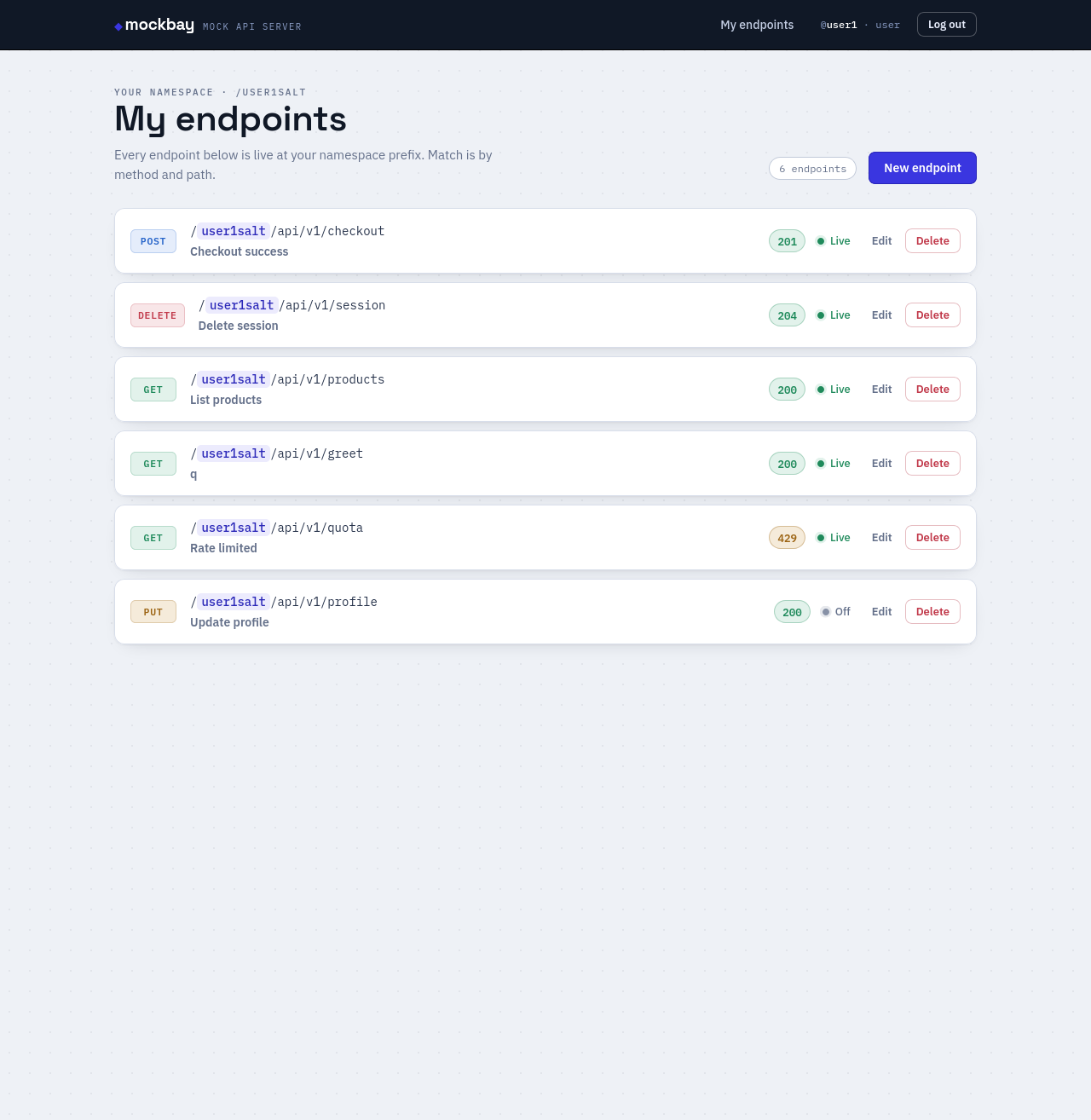
GETPOSTPUTDELETE
mockbay / my endpoints
The My Endpoints list showing method badges, route lines, status chips and live indicators.

Endpoint detail

Read the request → response

Open any endpoint to see its public URL (with a copy button), a big semantic status readout, and the exact headers and body it returns.

Every create and edit is captured in a change log, so you can see who changed what and when.
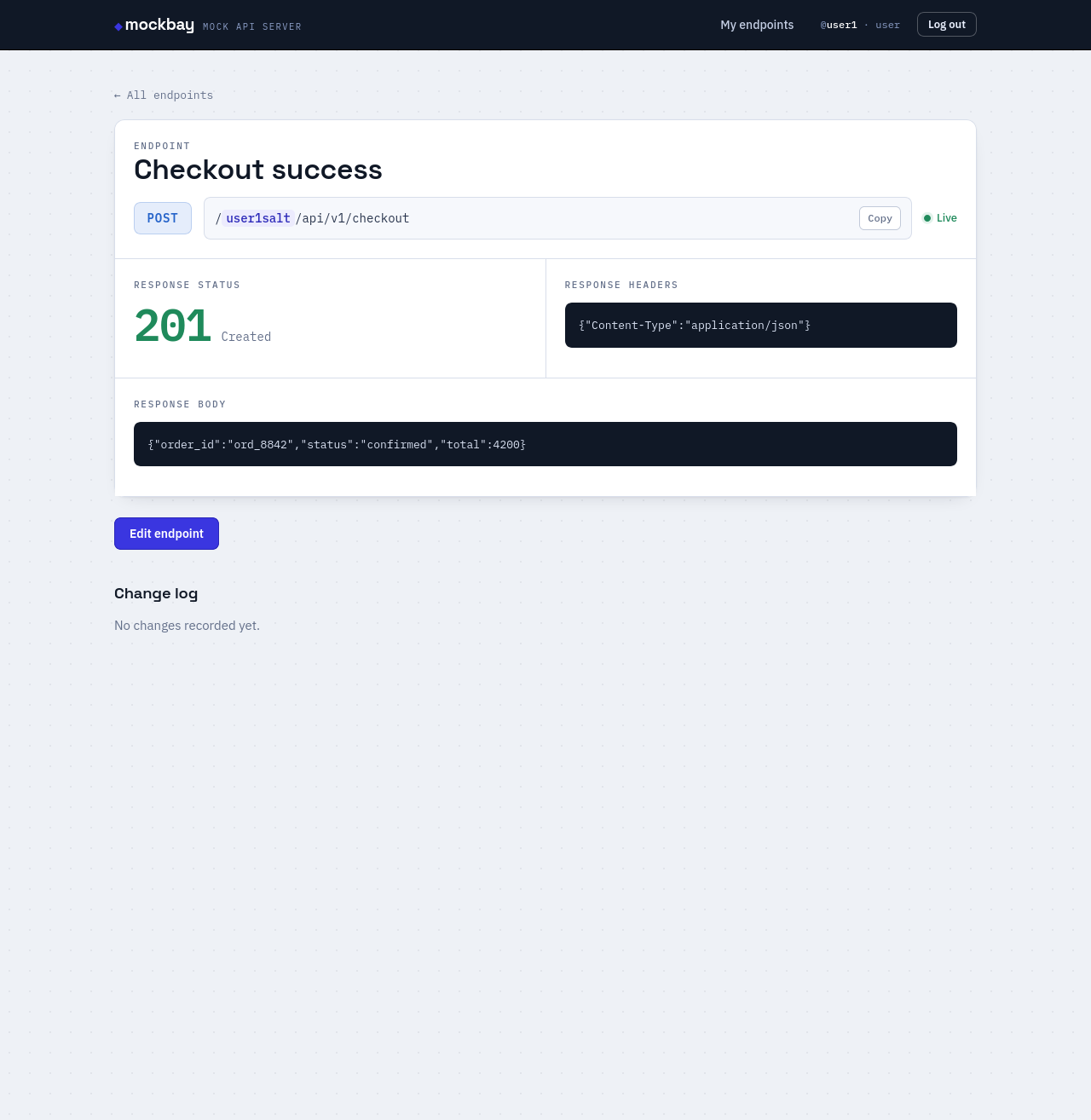
mockbay / endpoint
Endpoint detail page with status readout, response headers and body panels.

Record from curl

Turn a real request into a mock

Paste a curl command. mockbay runs it once against the real URL and stores the live response — method and path come from the command.

  • Only public URLs are allowed
  • Loopback, private, and metadata addresses are refused
  • Pinned to the validated IP (no DNS-rebinding)
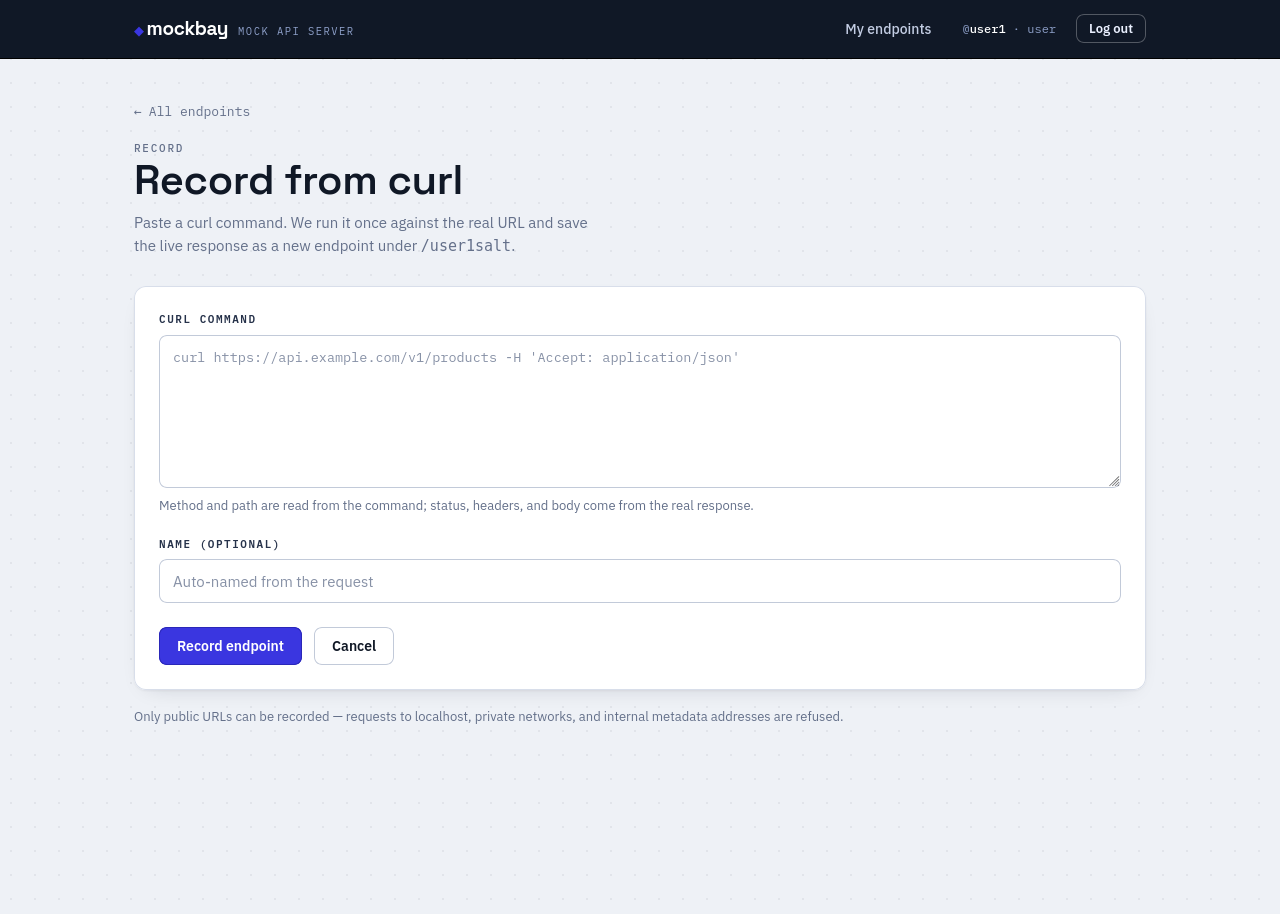
mockbay / record from curl
Record from curl form with a curl command textarea and optional name.

Encrypted responses

Speak the OTT eData envelope

Mark an endpoint encrypted and mockbay serves { "eData": <AES-256-CBC hex>, "code": <http> } — the exact shape an OTT gateway returns. You still see and edit plaintext in the portal.

When recording, an eData envelope is auto-detected and decrypted, so the stored body stays human-readable.
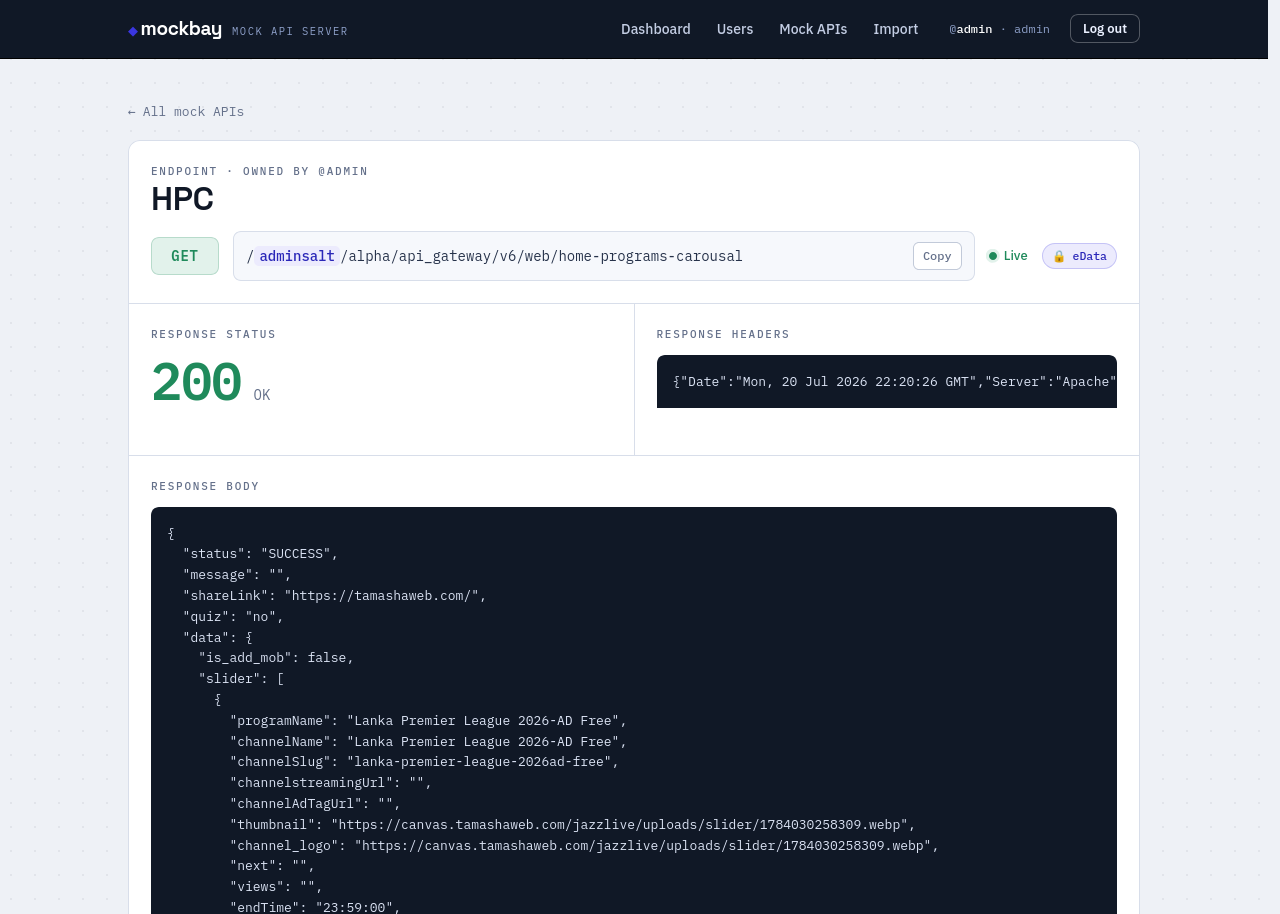
mockbay / encrypted endpoint
Encrypted endpoint detail showing the eData chip and decrypted JSON body.

Admin analytics

See real traffic

The admin dashboard tracks every served request. Totals up top, then users by role, endpoints by owner, the most-used endpoints, and the most-active users — by traffic and by changes made.
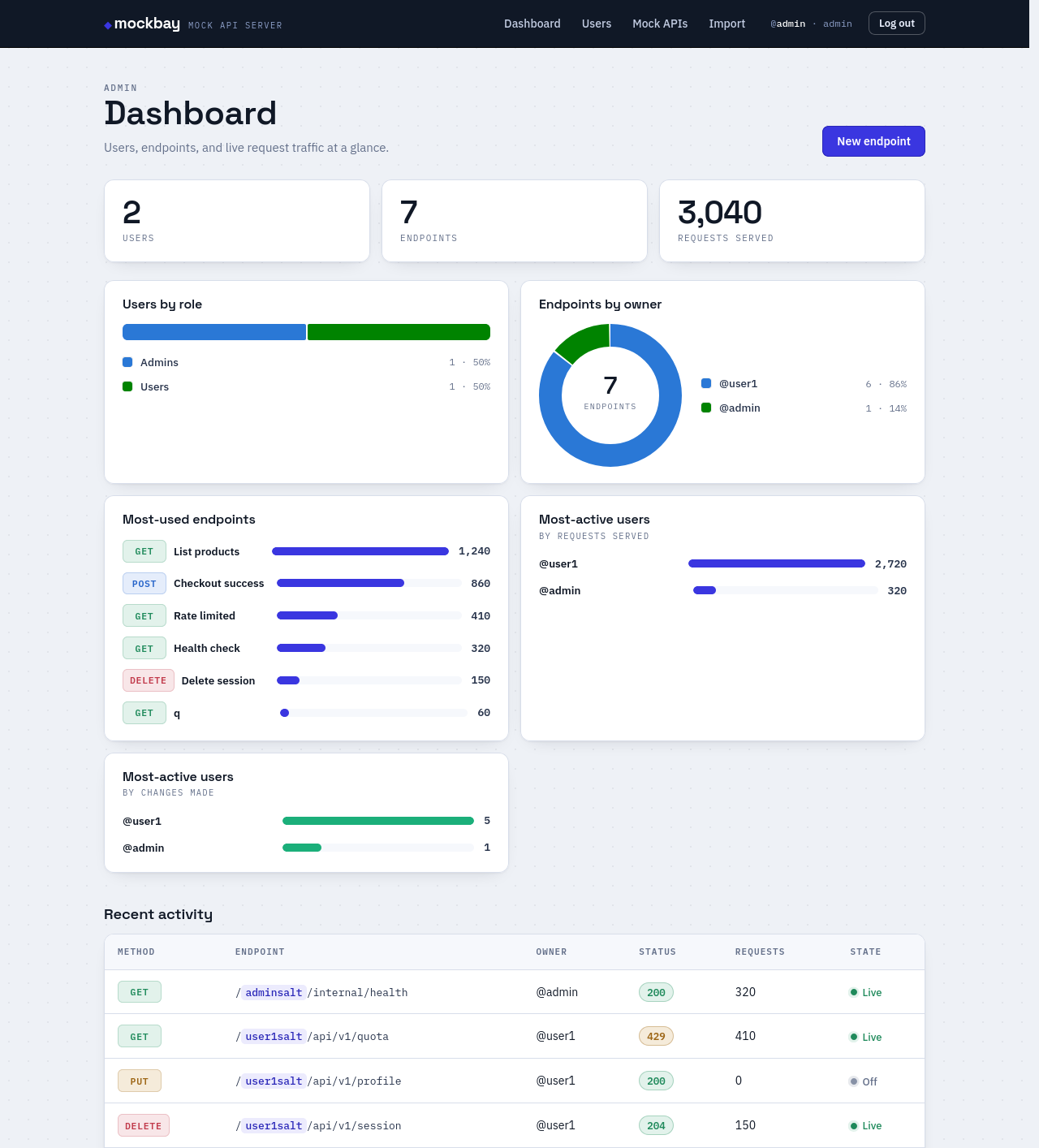
mockbay / admin dashboard
Admin dashboard with KPI tiles and five charts of usage analytics.